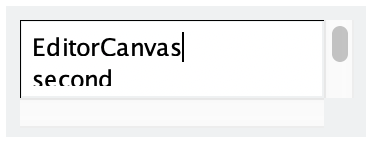
class | ||||||||||||||||
| ||||||||||||||||
| ||||||||||||||||
interface | ||||||||||||||||
|
The ~scrolls_per_page and ~wheel_step arguments control how the editor responds to mouse- or trackpad-based scrolling.
The ~line_count argument sets the canvas’s graphical minimum height to display a particular number of lines of text. The line height is determined by measuring the difference between the top and bottom of a displayed editor’s first line. The minimum height is not changed until the canvas gets an editor, and when the canvas’s editor is changed, the minimum height is recalculated. If the line count is set to #false, then the canvas’s graphical minimum height is restored to its original value.
The ~inset argument control how much an editor is inset within the editor canvas.
An editor canvas’s ~label string is not shown, but it is included for consistency with other WindowchildViews.
See Geometry Management for information about ~margin, ~min_size, and ~stretch.
The ~window_callbacks argument configures callbacks that are common to all WindowChildViews. See WindowCallbacks for more information.
#'no_border: Omits a border around the editor canvas.
#'choice: Gives the editor canvas a popup button that is like an Input with a ~choices list.
#'no_hscroll: Disables horizontal scrolling and hides the horizontal scrollbar.
#'auto_hscroll: Automatically hides the horizontal scrollbar when unneeded (unless #'no_hscroll or #'hide_hscroll is also specified).
#'hide_hscroll: Allows horizontal scrolling, but hides the horizontal scrollbar.
#'no_vscroll: Disables vertical scrolling and hides the vertical scrollbar.
#'auto_vscroll: Automatically hides the vertical scrollbar when unneeded (unless #'no_vscroll or #'hide_vscroll is also specified).
#'hide_vscroll: Allows vertical scrolling, but hides the vertical scrollbar.
#'resize_corner: Leaves room for a resize control at the editor canvas’s bottom right when only one scrollbar is visible.
#'transparent: The editor canvas is “erased” by the windowing system by letting its parent show through.
#'no_focus: Prevents the editor canvas from accepting the keyboard focus when the canvas is clicked or when the WindowChildView.focus method is called.